
If you’re looking to tap into your artistic side, a good painting app can be your best friend. Whether you’re a beginner or a seasoned pro, these apps can help you create stunning artwork right from your device. With so many options available, it can be overwhelming to choose the right one. This guide will walk you through some of the best painting apps out there, their features, and tips to enhance your creative process.
Key Takeaways
- Procreate and Adobe Fresco are top choices for digital artists.
- Look for customizable brushes and an easy-to-use interface in painting apps.
- Free apps like MediBang Paint and Ibis Paint X offer great features without the cost.
- For professionals, Corel Painter and Adobe Photoshop provide advanced tools.
- Mobile apps like Procreate Pocket and Infinite Painter let you create art on the go.
Exploring The Top Painting Apps
Okay, so you’re ready to dive into the world of digital painting? Awesome! There are a ton of apps out there, and it can feel overwhelming trying to figure out which one is right for you. Let’s break down some of the top contenders. It’s worth noting that many artists use multiple apps to achieve unique results.
Procreate: A Comprehensive Overview
Procreate is a powerhouse, especially if you’re on an iPad. It’s known for its intuitive interface and the sheer number of features it packs in. You can really mimic traditional art techniques with it. The app has been around for a while and is a staple for many creatives, including professional artists. It offers professional-level, highly customizable drawing tools at an affordable price.
Adobe Fresco: Features and Benefits
Adobe Fresco is the new kid on the block, but it’s making waves. Being part of the Adobe Creative Cloud gives it a certain edge. It feels like a mix of Photoshop and Illustrator, handling both vector and pixel-based art. It’s Adobe’s main drawing tool for mobile platforms. Keep in mind that it requires an annual subscription, so it’s a bit pricier.
ArtRage: Natural Painting Experience
If you’re after a more traditional feel, ArtRage is worth checking out. It focuses on giving you a natural painting experience on your computer. The realistic painting tools and interface make it feel like you’re working on a real canvas. It mimics real-world painting tools like brushes and palette knives, letting you blend colors like you would with traditional paints. It also offers a wide range of canvas textures and supports stylus inputs for a more tactile experience.
Choosing the right painting app really depends on your needs and preferences. Don’t be afraid to try out a few different ones to see what works best for you. Most offer free trials or basic versions, so you can get a feel for them before committing.
Essential Features To Look For
When you’re picking a painting app, it’s easy to get lost in all the options. But some features are just more important than others. These are the things that can really make or break your experience, whether you’re a total beginner or a seasoned pro. Let’s break down the must-haves.
Customizable Brushes and Tools
The ability to tweak your brushes is super important. You don’t want to be stuck with just a few basic options. Look for apps that let you adjust things like size, shape, texture, and pressure sensitivity. This gives you way more control over your strokes and helps you create different effects. Think about it like this:
- Size: How thick or thin is the line?
- Shape: Round, square, or something more unique?
- Texture: Smooth, rough, or somewhere in between?
- Pressure Sensitivity: How does the line change when you press harder?
Having these controls means you can mimic real-world tools or create something totally new.
Layer Management and Blending Modes
Layers are a game-changer in digital art. They let you build up your painting in stages, without messing up what you’ve already done. Blending modes are how those layers interact. Here’s why they matter:
- Non-Destructive Editing: Change things without ruining the original.
- Complex Effects: Create shadows, highlights, and textures easily.
- Experimentation: Try different ideas without commitment.
Imagine painting a portrait. You can put the sketch on one layer, the base colors on another, and the shadows on a third. If you don’t like the shadows, you can just change that layer without affecting the rest of the painting. That’s the power of layers.
User-Friendly Interface
No one wants to fight with their software. A good painting app should be easy to learn and use. The tools should be where you expect them, and the menus should be clear. A cluttered or confusing interface can kill your creativity fast. Look for these things:
- Intuitive Layout: Can you find what you need quickly?
- Customizable Workspace: Can you arrange the tools to suit your style?
- Responsive Performance: Does the app keep up with your strokes?
If you’re spending more time figuring out the app than actually painting, it’s probably not the right one for you. Check out some free online drawing apps to get a feel for what you like.
Best Free Painting Apps
Okay, so you’re looking for some free painting apps? Awesome! There are actually some really solid options out there that won’t cost you a dime. It’s pretty amazing what you can get without spending any money these days. Let’s check out a few.
MediBang Paint: A Versatile Choice
MediBang Paint is a great option if you want something that can handle a variety of tasks. It’s lightweight and works well for comics, manga, sketching, and general digital design. The interface is pretty straightforward, which makes it easy to jump in and start experimenting. Plus, it has a bunch of features that let you customize your brushes and layers, which is super helpful if you’re using a stylus. You can save your work in different formats like JPEG, PNG, SVG, or PDF.
Ibis Paint X: Social Drawing Experience
Ibis Paint X is all about the social aspect of art. It lets you share your work as you’re creating it, so others can watch your process. It’s got a ton of brushes and tools, and it’s especially good for creating manga art. It has frame dividers, text tools, and even halftone effects. The best part is that it’s totally free to use without any restrictions. If you’re into collaborating, this could be a fun way to enhance your creativity.
Sketch I.O: Basic Yet Effective
Sketch I.O is a more basic option, but it can still be really useful. It’s simple and easy to use, which makes it great for beginners. It might not have all the bells and whistles of some of the other apps, but it’s a good starting point if you’re just getting into digital painting. It’s a good way to get your feet wet without feeling overwhelmed.
Finding the right free painting app really depends on what you’re looking for. Some are better for specific styles, while others are more general-purpose. The best thing to do is try out a few different ones and see which one clicks with you. Don’t be afraid to experiment and have fun with it!
Advanced Painting Apps For Professionals
For professionals, the right painting app can be a game-changer. These apps often come with a steeper learning curve and a higher price tag, but they provide the tools and precision needed for high-quality, professional-grade artwork. Let’s explore some top contenders.
Corel Painter: Emulating Traditional Media
Corel Painter is all about replicating the feel of traditional art. It’s designed to mimic the experience of painting with oils, watercolors, and other physical media. The software has a huge library of brushes that simulate realistic brush strokes and textures. You can really get into the details of color mixing and custom brush creation. It’s a great choice if you want your digital art to look like it was created with traditional methods.
Adobe Photoshop: The Industry Standard
When it comes to professional digital art, Adobe Photoshop is often the first name that comes to mind. It’s the industry standard for a reason. Photoshop offers a massive set of tools and features, making it suitable for everything from photo editing to complex digital paintings. The layer-based editing system is a key feature, allowing you to work on different elements independently. Plus, the customizable brushes and options let you achieve incredibly precise and realistic effects.
Adobe Illustrator: Vector Art Mastery
Adobe Illustrator is the go-to app for vector art. Unlike Photoshop, which works with pixels, Illustrator uses vectors, which are mathematical equations that create lines and shapes. This means your artwork can be scaled infinitely without losing quality. Illustrator is perfect for creating logos, illustrations, and designs that need to be used at various sizes. It has powerful tools for creating precise shapes, working with typography, and managing complex designs. If you’re focused on vector-based artwork, Illustrator is a must-have.
Choosing the right app depends on your specific needs and artistic style. Consider what type of art you want to create and which features are most important to you. Experiment with different apps to find the one that best fits your workflow and helps you achieve your artistic vision.
Here’s a quick comparison of the three apps:
| App | Strengths | Best For |
|---|---|---|
| Corel Painter | Realistic media emulation, brush variety | Digital painting with a traditional feel |
| Adobe Photoshop | Industry standard, extensive features | Photo editing, complex digital art |
| Adobe Illustrator | Vector graphics, scalable designs | Logos, illustrations, graphic design |
Painting Apps For Mobile Devices
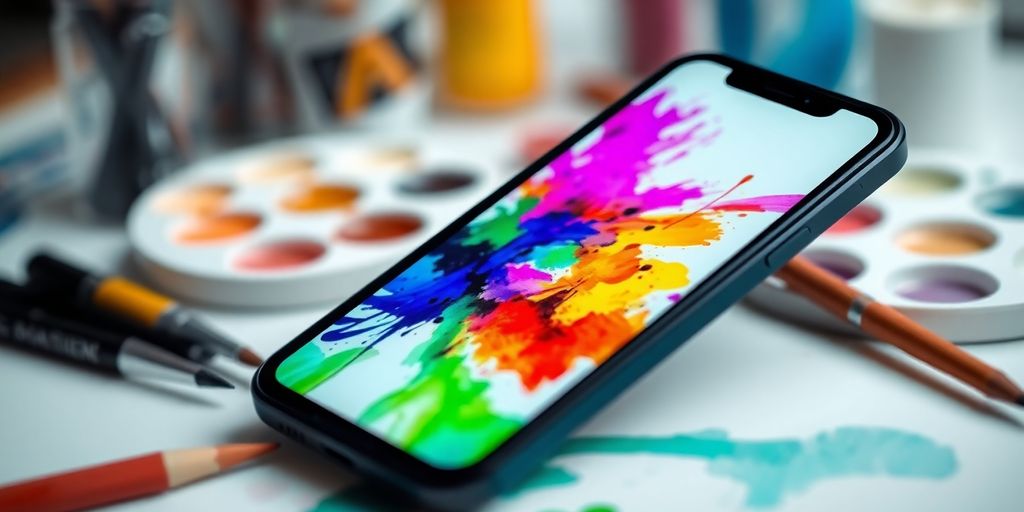
Mobile devices have really changed the game for artists. You don’t need a fancy studio anymore to create amazing artwork. Now, you can paint on your phone or tablet, wherever you are. There are tons of apps out there, each with its own strengths. Let’s look at some of the best.
Procreate Pocket: Art On The Go
Procreate Pocket is basically a mini version of the full-fledged Procreate for iPad. It’s designed specifically for iPhones, so the interface is streamlined for smaller screens. Don’t let the size fool you; it’s still packed with powerful features. You get a ton of brushes, layer support, and all the tools you need to create professional-looking art. It’s great for sketching on the train or painting in a coffee shop. It’s a paid app, but many artists find it well worth the investment for its portability and capabilities. You can improve your illustration portfolio with this app.
ArtFlow: Android’s Feature-Rich Option
ArtFlow is a solid choice if you’re on Android. It’s got a really impressive set of features, including a wide range of brushes, layer blending modes, and support for high-resolution canvases. It’s designed to work well with styluses, so if you have a Samsung Galaxy Tab or another Android tablet with pen support, you’ll be in good shape. ArtFlow offers a free trial, so you can test it out before committing to the paid version. It’s a great option for artists who want a powerful and versatile painting app on their Android device.
Infinite Painter: Affordable and Powerful
Infinite Painter is another excellent option for Android users. It’s known for its clean interface and intuitive tools. It has a ton of brushes, and it’s really easy to customize them to fit your needs. It also has some unique features, like perspective guides and symmetry tools, that can be really helpful for certain types of artwork. Plus, it’s available at a very reasonable price, making it a great value for the features you get. If you are looking for the best sketch app on the Google Play Store, look no further than Infinite Painter.
Mobile painting apps have come a long way. They’re not just for casual doodling anymore. With the right app, you can create professional-quality artwork right on your phone or tablet. The key is to find an app that fits your workflow and has the features you need. Don’t be afraid to experiment with different apps until you find the perfect one for you.
Tips For Maximizing Your Creativity

Experimenting With Different Styles
Don’t get stuck in a rut! Trying new things is key to keeping your creativity flowing. It’s easy to fall into doing the same kind of art over and over, but that can lead to burnout. Branch out and explore different styles, even if they seem intimidating at first. You might surprise yourself and discover a new passion, or at least learn something that you can bring back to your usual work. For example, if you usually do realistic portraits, try abstract landscapes. If you’re all about digital painting, mess around with traditional watercolors. The point is to push yourself outside your comfort zone. Understanding your cognitive strengths can also help you identify which styles might be a natural fit or where you might need to focus your learning.
Utilizing Tutorials and Online Resources
The internet is a goldmine of information for artists of all levels. There are countless tutorials, courses, and resources available to help you improve your skills and learn new techniques. Don’t be afraid to take advantage of them! I’ve found some amazing free tutorials on YouTube, and I’ve also invested in a few online courses that have really helped me level up my skills. Skillshare and Domestika are great places to start. Here’s a few things to keep in mind:
- Find instructors whose style you admire: Learning from someone who inspires you can make the process more enjoyable and effective.
- Don’t be afraid to ask questions: Most online communities are very supportive, and people are happy to help.
- Practice, practice, practice: Watching tutorials is great, but you need to put what you learn into practice to really improve.
I think the biggest thing I’ve learned from online resources is that there’s no one "right" way to do things. Everyone has their own unique process, and it’s important to find what works best for you.
Building An Online Portfolio
Having an online portfolio is super important for showcasing your work and connecting with other artists and potential clients. It doesn’t have to be fancy or complicated, but it should be a professional representation of your best work. Here are some platforms you can use to build your portfolio:
- Behance: A popular platform for creatives to showcase their work and get feedback.
- ArtStation: A great option for artists working in the gaming, film, and animation industries.
- Instagram: A simple and effective way to share your work and connect with a wider audience. Make sure to use relevant hashtags to gain visibility.
Make sure to keep your portfolio updated with your latest work, and don’t be afraid to experiment with different layouts and designs to find what works best for you. Also, consider adding a short bio and contact information so people can easily get in touch with you.
Integrating Painting Apps Into Your Workflow
It’s easy to think of painting apps as standalone tools, but they really shine when you integrate them into your overall creative process. Think of them as pieces of a larger puzzle, each with its own strengths that can complement others. The key is to find a workflow that suits your individual needs and style.
Combining Multiple Apps For Unique Results
Don’t limit yourself to just one app! Experiment with using different apps for different stages of your work. For example, you might start with Sketch I.O for initial sketching, move to Procreate for detailed painting, and then finish up in Photoshop for final adjustments and effects. This approach lets you take advantage of the unique features of each app, resulting in artwork that’s more complex and interesting. I like to use one app for line art, another for color, and a third for special effects. It might sound complicated, but it’s actually pretty fun once you get the hang of it.
Exporting and Sharing Your Artwork
Once you’ve created your masterpiece, you’ll want to share it with the world! Most painting apps offer a variety of export options, allowing you to save your work in different formats and resolutions. Consider these points:
- File Format: Choose the right file format for your needs. JPEG is great for sharing online, while PNG is better for preserving transparency. TIFF is good for print.
- Resolution: Export at a high resolution if you plan to print your artwork. For online sharing, a lower resolution is usually sufficient.
- Color Profile: Make sure your color profile is appropriate for the intended use. sRGB is the standard for web, while CMYK is used for print.
I always make sure to save multiple versions of my artwork. A high-resolution TIFF for archival purposes, a JPEG for quick sharing on social media, and a PNG with transparency for use in other projects. It might seem like overkill, but it’s saved me a lot of headaches in the long run.
Collaborating With Other Artists
Painting apps can also be great tools for collaboration. Many apps allow you to share your artwork with other artists, making it easy to get feedback and work together on projects. Some things to consider:
- Cloud Storage: Use cloud storage services like Dropbox or Google Drive to share large files with collaborators.
- Version Control: Establish a clear version control system to avoid confusion and ensure that everyone is working on the latest version of the artwork.
- Communication: Communicate clearly with your collaborators about your goals and expectations. Use messaging apps or video conferencing to stay in touch and provide feedback.
Here’s a simple table showing how different apps can be used in a collaborative workflow:
| Task | App Suggestion | Reason |
|---|---|---|
| Sketching | Procreate Pocket | Easy to share sketches quickly. |
| Painting | Adobe Fresco | Great for realistic painting and collaboration features. |
| Final Touches | Adobe Photoshop | Industry standard for advanced editing and effects. |
| File Sharing | Google Drive/Dropbox | Simple way to share large files and maintain version control. |
Final Thoughts on Choosing the Right Painting App
In the end, picking the right painting app really comes down to what you need and how you like to create. There are tons of options out there, each with its own set of features and tools. Whether you’re a pro or just starting out, there’s something for everyone. Don’t hesitate to try a few different apps to see which one clicks with you. And once you find your favorite, dive in and start creating! Your next masterpiece is just a few taps away.
Frequently Asked Questions
What are the best painting apps for beginners?
Some great painting apps for beginners include Procreate, Adobe Fresco, and Ibis Paint X. They are user-friendly and have many helpful features.
Are there any free painting apps available?
Yes, apps like MediBang Paint, Ibis Paint X, and Sketch I.O are free to use and offer a variety of tools for creating art.
Can I use painting apps on my phone?
Absolutely! Many painting apps like Procreate Pocket and ArtFlow are designed for mobile devices, allowing you to create art on the go.
What features should I look for in a painting app?
Look for customizable brushes, layer management, blending modes, and a user-friendly interface to help you create your artwork.
Is it possible to combine different painting apps?
Yes, many artists use multiple apps together to create unique effects and styles in their artwork.
How can I share my artwork created with painting apps?
You can easily export your artwork in various formats like JPEG or PNG and share it on social media or your online portfolio.




 PERFECT PAINTER
Leave a comment